
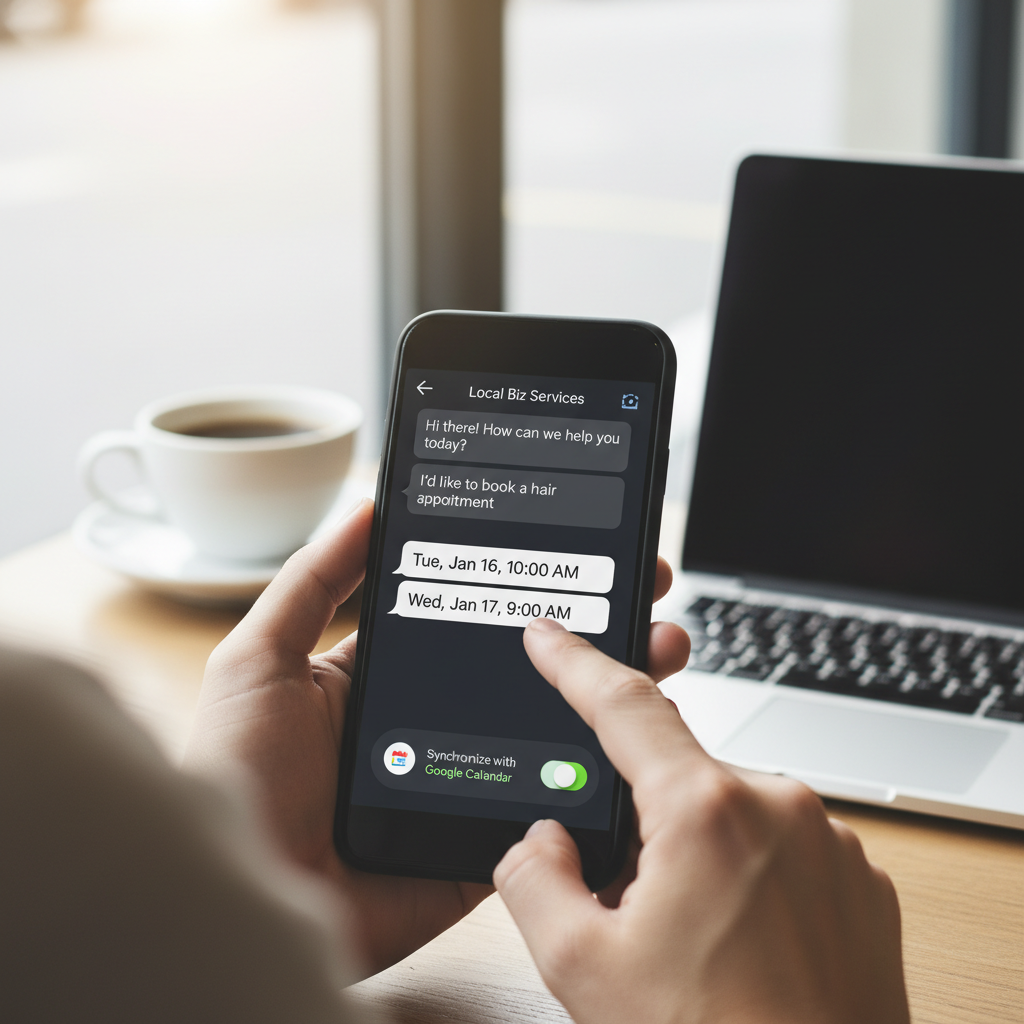
One-Click Conversions: Connecting Google Calendar Sync Directly to In-Chat Booking
For local businesses, the distance between a customer asking a question and booking an appointment can determine whether interest turns into action. Connecting Google Calendar synchronization directly to in-chat booking can shorten that journey. Instead of leaving a conversation, calling the business, or waiting for an email, a customer may be able to review available times and request or confirm an appointment while the discussion is still active.
This approach can be useful for salons, repair services, consultants, wellness providers, home service professionals, and other appointment-based businesses. However, convenience depends on more than placing a booking button inside a chat. Accurate availability, timely calendar updates, thoughtful privacy controls, and reliable conflict prevention are essential to creating an experience that customers and business owners can trust.

Why In-Chat Booking Can Reduce Scheduling Friction
Traditional appointment scheduling often involves several steps. A customer sends a message, asks about availability, waits for a response, suggests a time, and waits again for confirmation. If that time is no longer available, the exchange starts over.
In-chat booking can simplify this process by presenting relevant appointment options during the conversation. A customer asking a local pet groomer about a nail-trimming service, for example, could potentially see available times immediately after receiving an answer about pricing or service duration. The customer remains in context and does not need to navigate through unrelated pages.

This smoother path does not guarantee a completed booking, but it may remove common points of hesitation. It also helps customers act when their interest is highest, whether they are scheduling during a lunch break, after business hours, or while comparing nearby providers.
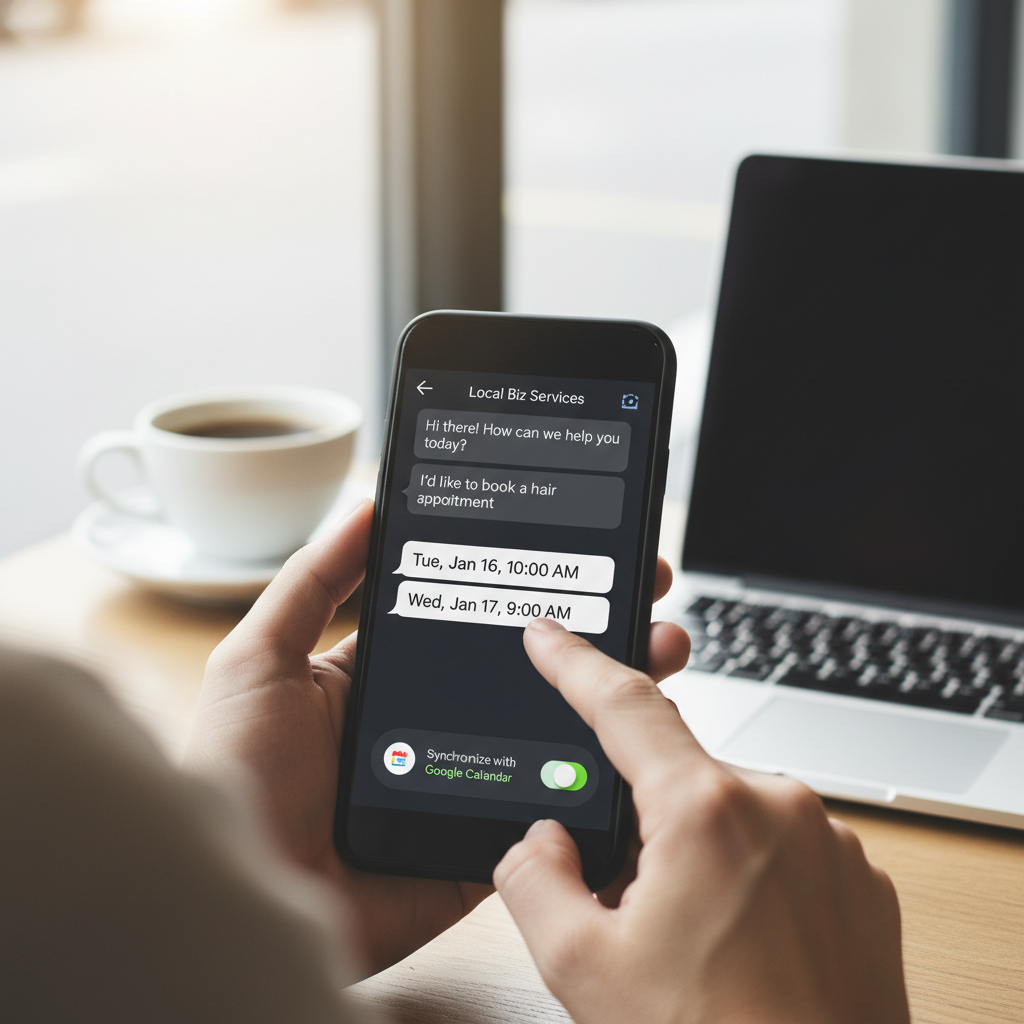
How Google Calendar Sync Supports Accurate Availability
A booking experience is only useful when the displayed times reflect the business’s actual schedule. Google Calendar sync can provide a shared scheduling reference by connecting customer-facing availability with the calendar a business already uses.

For example, imagine an independent HVAC technician who reserves mornings for installations and afternoons for service calls. If a personal commitment or existing appointment blocks a particular afternoon, a properly configured calendar connection can help prevent that period from appearing as available.
Depending on the scheduling system and its configuration, a calendar integration may help a business:
- Display appointment windows based on working hours
- Recognize existing events as unavailable time
- Add confirmed bookings to the appropriate calendar
- Apply preparation or travel buffers between appointments
- Keep team members informed about schedule changes
- Reduce repetitive manual calendar entry
The exact behavior depends on whether synchronization is one-way or two-way, how frequently updates occur, and which calendars are included. Businesses should review these details before relying on an integration for customer bookings.
Practical Benefits for Customers
Faster Decisions With Less Back-and-Forth
Customers often want a straightforward answer to a straightforward question: “When can you see me?” Showing suitable times within the conversation can answer that question without requiring a phone call or a prolonged message exchange.
Consider a parent searching for a nearby music teacher. After asking whether beginner piano lessons are available, the parent could move from receiving information to choosing an introductory session in the same interaction. The experience feels connected because discovery, clarification, and scheduling happen in one place.
Greater Convenience Outside Business Hours
Many people search for local services in the evening or on weekends. In-chat booking may allow them to request an appointment without waiting for the business to reopen. The business can begin the next working day with organized booking information rather than a collection of missed calls and incomplete messages.
Clearer Appointment Expectations
A well-designed booking flow can show the service, duration, location, selected time, and any preparation instructions before confirmation. This clarity helps customers understand what they are booking and gives them an opportunity to correct mistakes early.
Practical Benefits for Local Businesses
Less Time Spent Coordinating Schedules
For a small team, every scheduling message takes time away from serving customers. Calendar-connected booking may reduce routine coordination while still allowing staff to handle unusual requests personally.
A massage therapist, for instance, might make standard sessions available for direct booking but route group appointments or specialized treatments to a manual conversation. This creates efficiency without forcing every customer into the same process.
A More Organized View of Demand
When appointments flow into a central calendar, owners can more easily review upcoming workloads and identify busy periods. This may support staffing, travel planning, equipment preparation, and decisions about when to open additional appointment windows.
Continuity From Conversation to Service
Booking details should remain connected to the original customer request. If someone asks a plumber about a leaking outdoor faucet, the resulting appointment should clearly identify the requested service. Capturing useful context can help the business arrive prepared, although only necessary information should be collected.
Avoiding Double Bookings and Stale Availability
Double bookings are among the most damaging scheduling failures because they inconvenience customers and place staff in a difficult position. Calendar integration can lower this risk, but only when availability rules and updates are handled carefully.
Businesses should confirm how quickly new events, cancellations, and rescheduled appointments are reflected in the booking interface. A delay between systems could cause a recently reserved time to remain visible. Teams should also determine which calendar is the authoritative source and avoid maintaining disconnected schedules for the same employee or resource.
Useful safeguards may include temporary holds while a customer completes a booking, conflict checks before final confirmation, minimum notice requirements, daily limits, and buffers between appointments. Businesses with multiple employees should also map each service to the correct staff calendar rather than treating all availability as interchangeable.
Privacy and Permission Should Be Built In
Calendar connectivity should expose availability, not private calendar details. Customers generally need to know that a time is open or unavailable; they do not need to see the title or description of another event.
Businesses should use appropriate account permissions, collect only the information required to manage the appointment, and explain how customer details will be used. Access should be limited to authorized calendars and team members. It is also important to plan what happens when an employee leaves, changes roles, or no longer needs access.
Confirmation messages should avoid revealing sensitive information, especially for businesses operating in health, legal, financial, or other privacy-sensitive fields. Calendar integration does not replace the need to evaluate applicable data protection, recordkeeping, and industry requirements.
Where NearAIx Fits Into the Conversation
NearAIx focuses on helping people discover and connect with nearby businesses, places, events, and local specialists. Its public website describes direct messaging and one-click Google Calendar sync for appointment booking. Businesses considering NearAIx should verify the current availability, setup requirements, supported workflows, and account permissions for their specific use case before presenting the experience to customers.
The broader opportunity is to connect local discovery with a practical next step. A customer who finds a nearby professional and starts a conversation may be more likely to continue when scheduling is convenient. Still, the booking experience should be tested carefully, and businesses should avoid promising instant confirmation when an appointment requires manual review.
Preparing for a Calendar-Connected Booking Flow
Before enabling in-chat scheduling, a local business should clean up its calendar practices. Working hours, appointment lengths, travel time, staff assignments, cancellation rules, and blocked periods should be clearly defined.
It is also wise to test common situations, including:
- A customer booking the last available appointment
- Two customers attempting to select the same time
- A staff member adding a calendar event manually
- A customer canceling or requesting a different time
- A booking that requires approval before confirmation
- A temporary loss of calendar connectivity
Clear fallback procedures matter. If synchronization fails, the system should avoid displaying uncertain availability and give the customer a reasonable way to request assistance.
Conclusion
Connecting Google Calendar sync directly to in-chat booking can make scheduling more convenient for customers and more manageable for local businesses. Its value depends on accurate availability, prompt updates, responsible data handling, and strong protection against conflicts. When implemented carefully, it can create a clearer path from a local conversation to a confirmed appointment without removing the personal service that makes neighborhood businesses distinctive.